As Discord has grown in popularity, so too have the ways that people use it. And for years now, nervous has used Discord for everything: we build, moderate, and manage servers for clients; we use it for all of our internal organizing and communications, and we use it to manage our various side projects. We are all-in on Discord and have been for years now. So we’ve decided to start building out the tools we’ve always wanted to use for ourselves and make them available to everyone. The first of these tools is To-Do.
To-Do is a lightweight task manager that operates entirely in Discord. You can add it as a private back-channel tool in a public server you manage, or you can spin up a private To-Do server for your team to manage a wide array of projects. It’s a “work where you work” tool, so your team isn’t constantly running off to check a list somewhere else and then running back to Discord to get the actual work done. Just create a project and it will auto-create multiple channels with different purposes and functions.
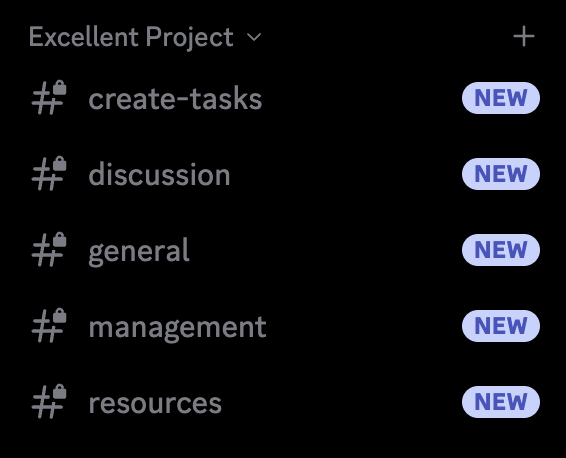
Creating something vague like this will give you the default channels: #create-tasks and #discussion, plus a few other others that seem useful based on the title. Channels can of course be edited to be more specific to what you need.
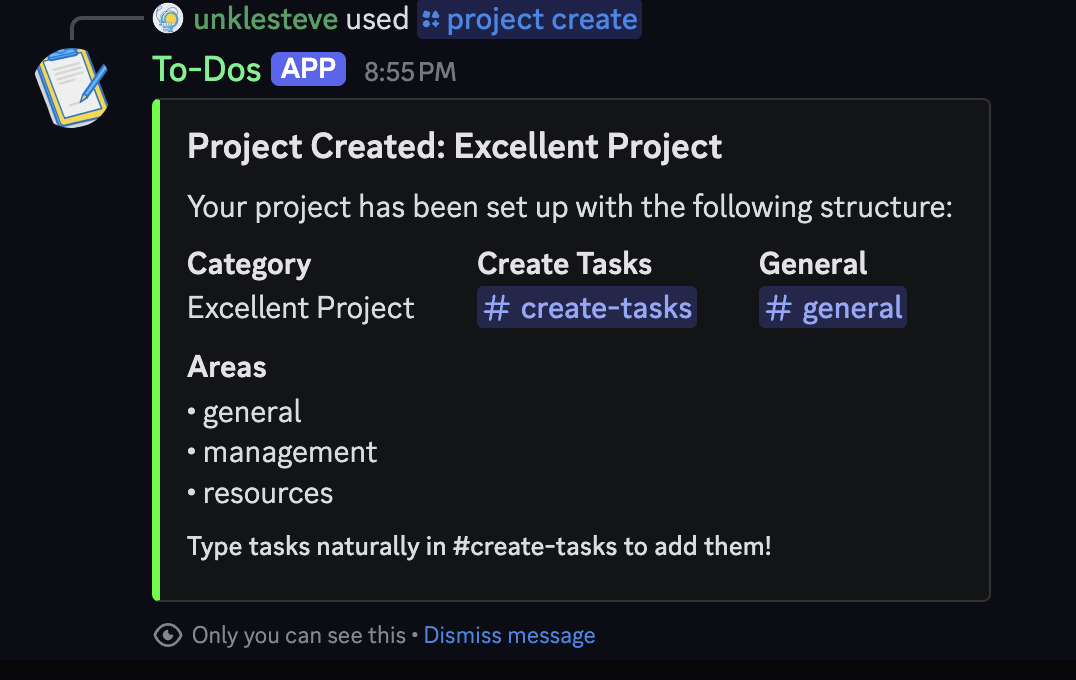
#create-tasks is where you’ll create your tasks. Just type in what you want, and it will put it where you specify or drop it into #general if it’s not sure.
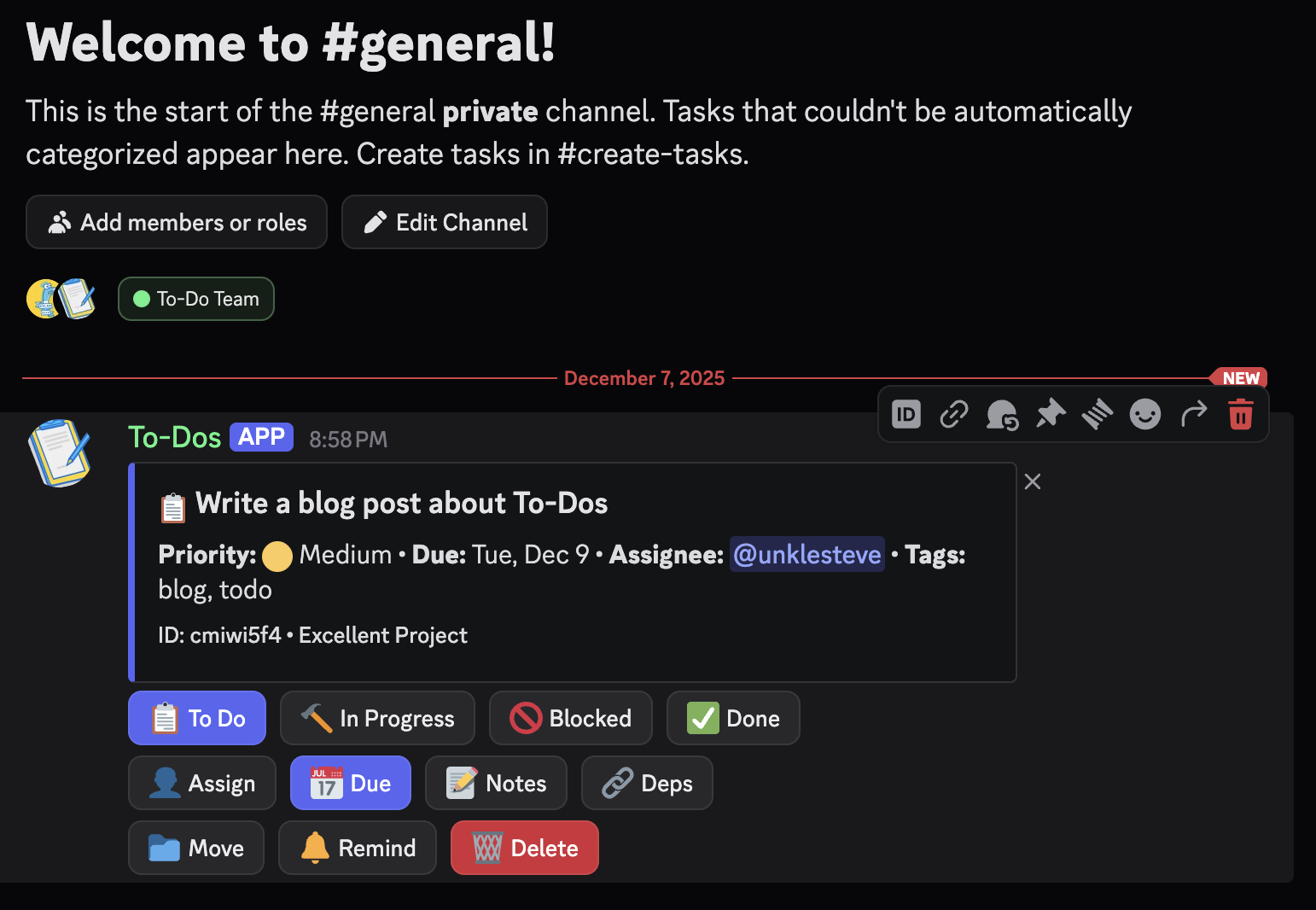
Once you do this, you’ll get your task modal in the appropriate channel:
You can set the status (📋 To Do, 🔨 In Progress, or 🚫 Blocked on Pro) or mark it off as ✅ Done. Once you complete your first task, a #done channel will be created and all completed tasks will move there.
You can also set or change a 📅 Due date, 📁 Move the task to a different channel, or 🗑️ Delete the task entirely. Pro users get additional features like 📝 Notes, 🔗 Dependencies, and 🔔 Custom Reminders. Team plan adds 👤 Assign to delegate tasks to teammates.
It’s simple, lightweight, and a great way for you to keep your Discord-based team organized. Whether it’s reminding your mods to clean up an overnight gif-war in #general or helping your community management team through a busy week of product releases, To-Do helps your team stay organized where they work.
Check out To-Dos and our other bots at the nervous system.